Guests over for the game.
A couple of them didn’t come for it. Now they have a card. Show the code, deal yourself in, and get back to the couch.
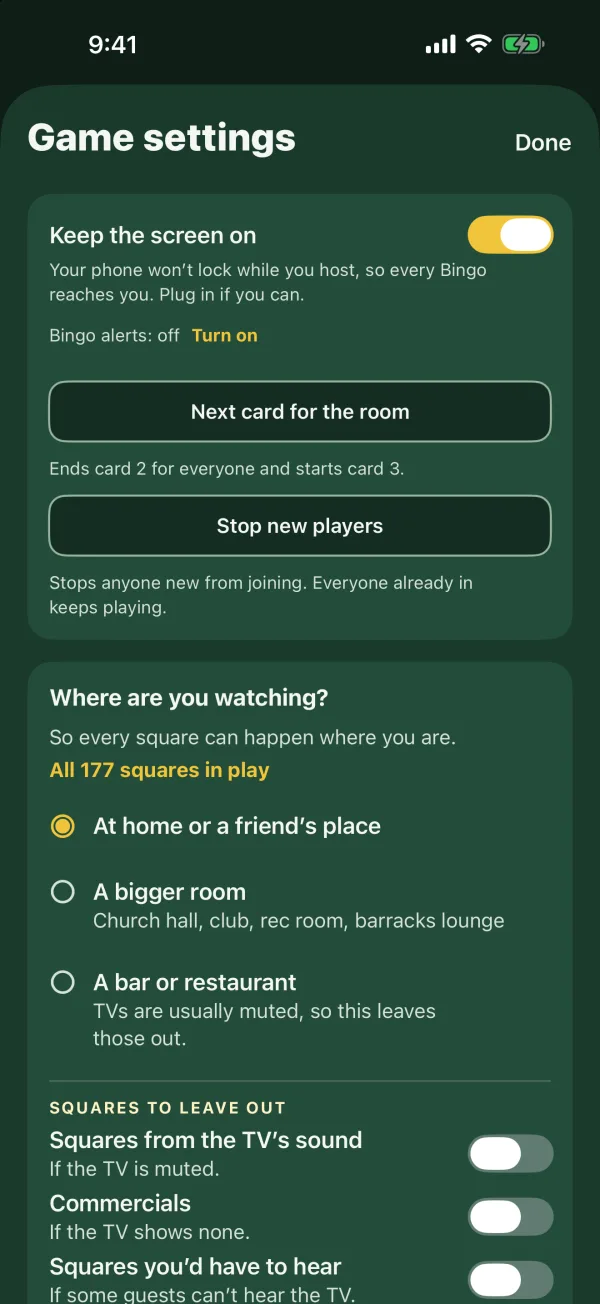
Pick “At home or a friend’s place.” Text the link to anyone who’d rather not scan.
 The originalSince 1998
For hosts
Keep the whole room in the game. You host on your iPhone or iPad. Everyone else plays on iPhone or Android, phone or tablet. Four steps, your first party free, and nobody else downloads anything. Built so the host watches the game instead of doing tech support.
Before the party: get the Sports Party Bingo app on your iPhone or iPad.
Download from the App Store. Your first party is free; after that, hosting is $4.99 once. Only you install it. Guests never do.
Short names for the two teams, like “Wildcats”.
Then pick where you’re hosting.
Guests scan it with any phone or tablet. Or text them the link.
When everyone’s in, tap it. You can play, too.
Tap what happens. Five in a row wins.
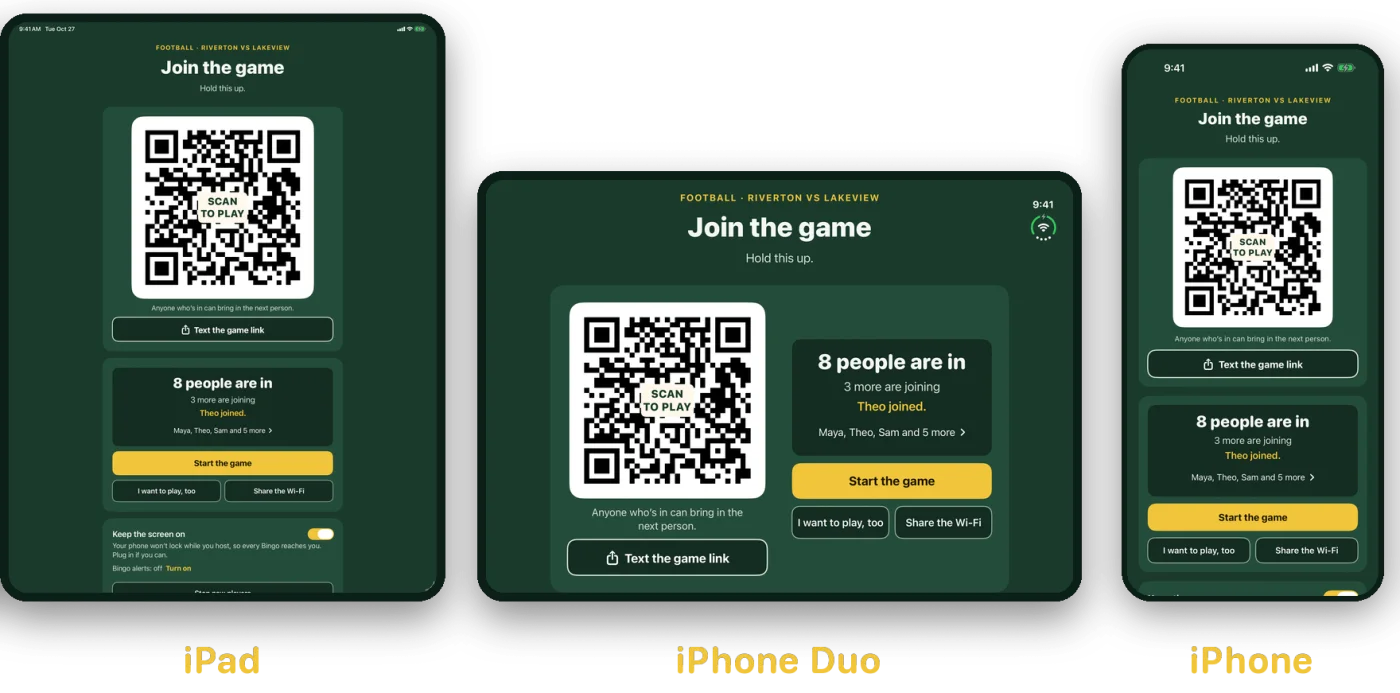
What you host on
One host runs the game, on whichever one you have. The app fits the screen it’s on.
Guests never need one: they play in their phone’s browser.
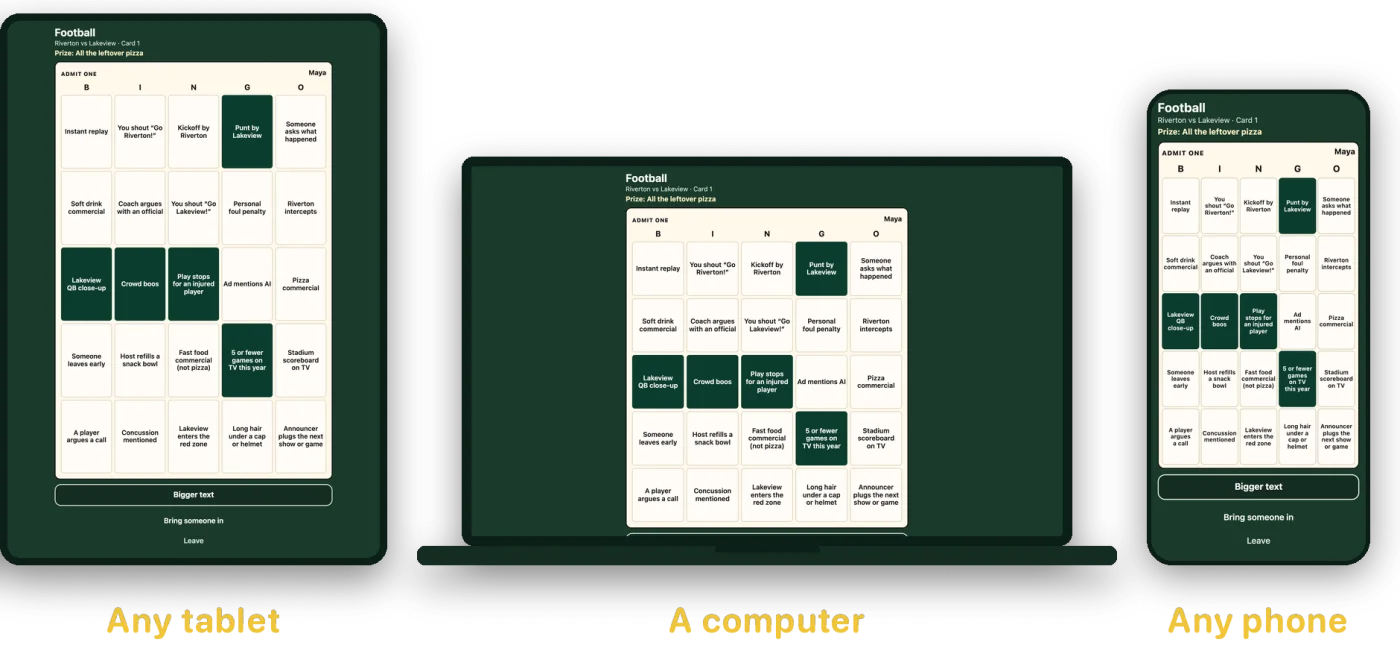
What guests play on
Guests play in the browser, on iPhone or Android. Nothing to install, no account, nothing to pay.
Watching from somewhere else? A computer works, too.
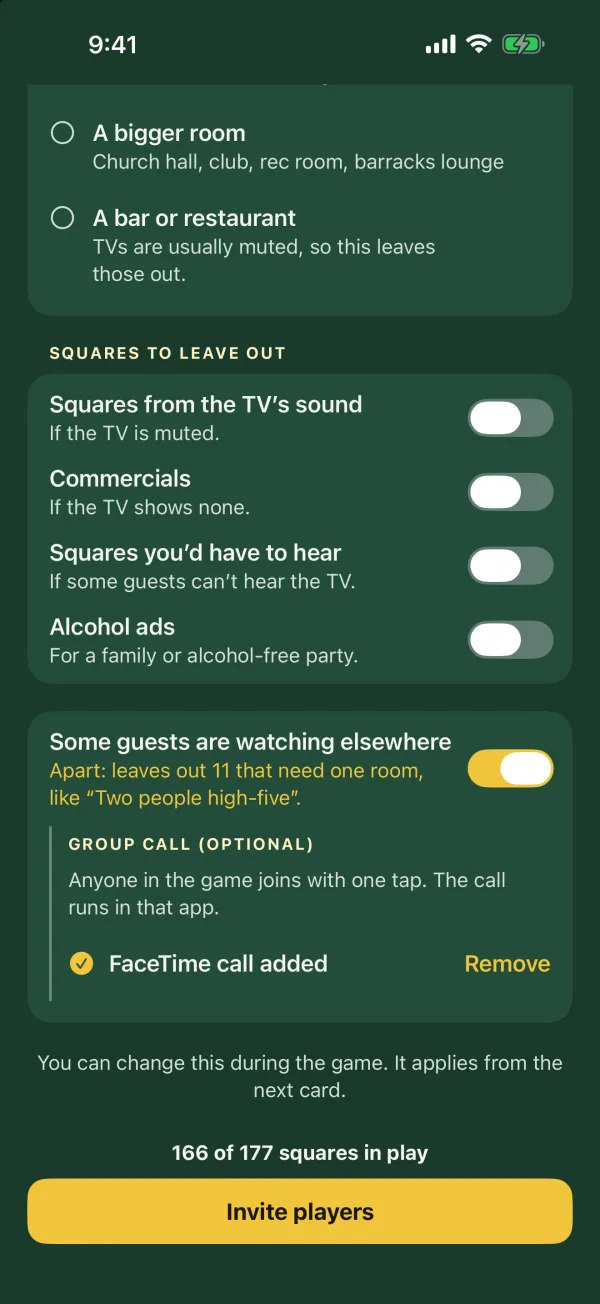
Where it gets played
Tell the app where you’re hosting, and every card fits that party. Nobody waits on a square that was never going to happen, so everyone stays in the game.
A couple of them didn’t come for it. Now they have a card. Show the code, deal yourself in, and get back to the couch.
Pick “At home or a friend’s place.” Text the link to anyone who’d rather not scan.
People do what the screen says, so the screen says very little: scan, type a first name, get a card. Android phones play in the browser like everyone else.
Pick “A bigger room.” Rated 13+ because a few squares mention beer commercials, and the broadcast sometimes shows an injury. A family party can leave the alcohol ads off every card. There’s no betting.
Guests don’t sign up for anything. No accounts, nothing to install. Whoever shows up mid-game scans and gets a card.
Pick “A bigger room.” Every square can still happen after the TV game starts, so a card dealt in the last few minutes still works.
Nobody’s card waits on an announcer they can’t hear. The squares are things you can see from the bar.
Pick “A bar or restaurant.”
You host from your couch, and everyone else plays from theirs. Every card is winnable from home, and the group call is one tap away.
It works at any party, too: most guests in the room, a few joining from far away.
A fair game
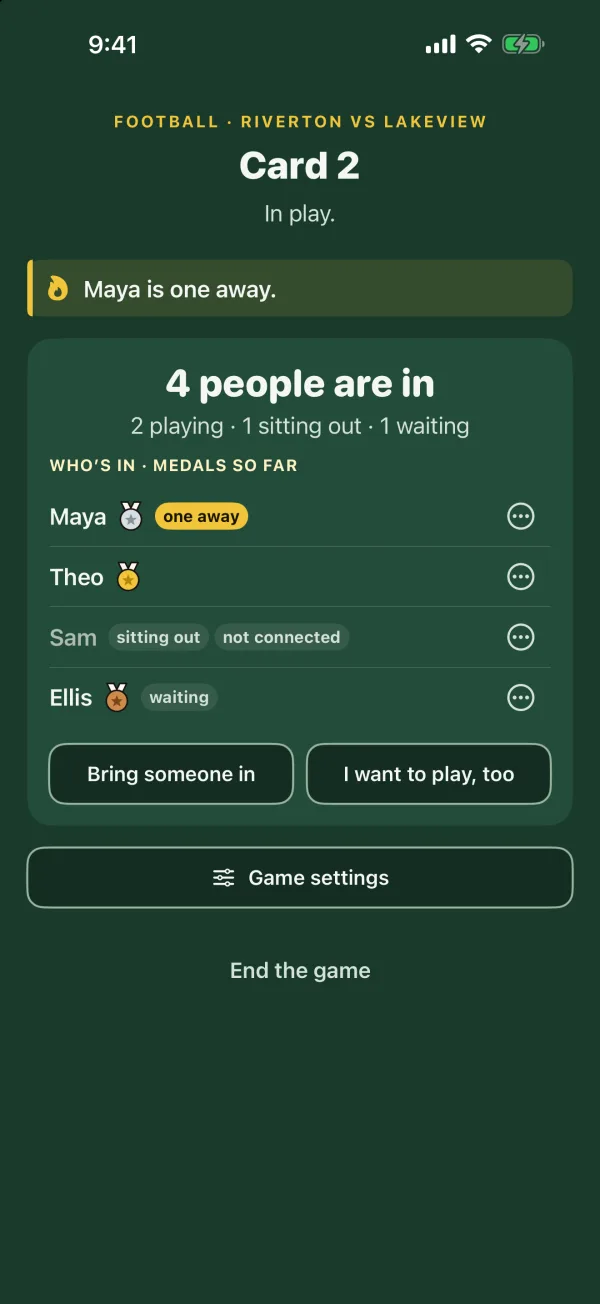
During the game
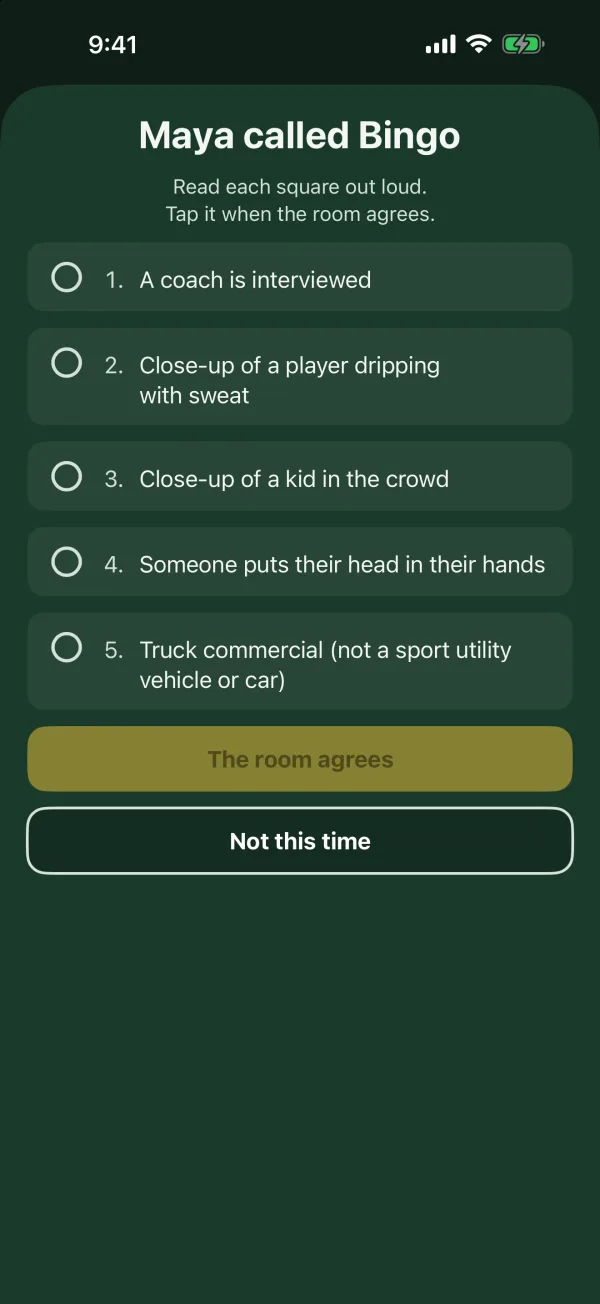
What needs you is right where you look: a Bingo to check, who’s close to winning, your own card. Then the phone goes back in your pocket, and you’re back with your guests.
Hosting tips
What it costs you